Skip to content
Website Maintenance is not Optional - Graphicsbyte

Website Maintenance Is Not Optional: The Real Risks of Neglect

Table of Contents

Your website does not take care of itself

Most business owners think about their website in two moments. When they build it and when something breaks. Everything in between gets treated like the site is just sitting there, quietly doing its job without any input required.

That assumption is where the problems start.

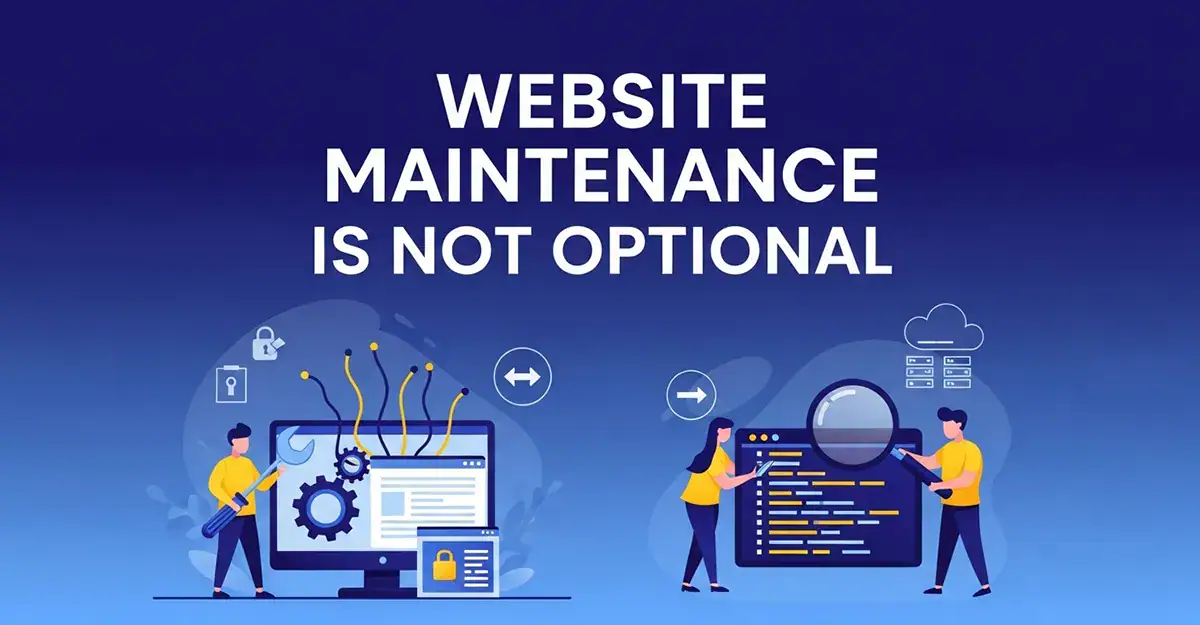
Website maintenance is the ongoing work that keeps a site secure, fast, functional, and findable. Skip it long enough and the consequences compound in ways that are expensive to reverse and damaging to the business running the site.

This post covers what website maintenance actually includes, what happens when it gets ignored, and what a proper plan looks like for a WordPress site.


What Website Maintenance Actually Covers

Software Updates:
WordPress is built on three layers of software: the core platform, the theme, and the plugins. Each of those layers receives regular updates from developers. Those updates address security vulnerabilities, fix bugs, improve performance, and maintain compatibility between components.

When updates go unapplied, those layers fall out of sync. A plugin built for WordPress 6.3 running on WordPress 6.7 is a compatibility risk. An unpatched security vulnerability in an outdated plugin is an open door for anyone looking to exploit it.

WordPress website maintenance means staying current across all three layers on a consistent schedule, not waiting until something breaks to investigate.

Security Monitoring:
Websites get attacked. This is not a dramatic statement, it is a statistical reality. Automated bots scan the web continuously looking for known vulnerabilities in outdated software. WordPress sites are a common target specifically because WordPress is so widely used.

A proper website maintenance plan includes active security monitoring, malware scanning, login protection, and firewall rules that block malicious traffic before it reaches the site. Catching a threat early costs far less than recovering from a compromised site.

Backups:
A reliable backup system is the difference between a bad afternoon and a catastrophic loss. If a site gets hacked, a plugin update breaks something, or a hosting error corrupts files, a recent clean backup means the recovery is measured in hours rather than days or weeks.

Backups should run automatically, store copies off-site, and be tested periodically to confirm they actually restore correctly. A backup that has never been tested is a backup you cannot trust.

Performance and Speed:
Site speed is not a one-time configuration. It degrades over time as content accumulates, plugins add overhead, and hosting environments change. A site that loaded quickly at launch may have drifted significantly slower eighteen months later without anyone noticing.

Speed directly affects user experience and search rankings. Google uses page speed as a ranking signal. Visitors make decisions about staying or leaving based on how fast a page loads. Website maintenance includes periodic performance checks and optimizations to keep load times where they need to be.

Uptime Monitoring:
If your site goes down, you want to know immediately. Without monitoring in place, a site can be offline for hours before anyone notices, usually a customer who tried to visit and left. Uptime monitoring sends an alert the moment a site becomes unreachable so the problem gets addressed before it costs business.

Broken Link and Form Checks:
Links break over time as pages get moved, renamed, or removed. Contact forms stop working for reasons that range from plugin conflicts to email delivery issues. Neither of these problems announces itself. They just quietly remove pathways that customers depend on to reach you.

Regular checks catch these issues before they accumulate into a site that feels neglected and unprofessional.

What Happens When Website Maintenance Gets Ignored

Security Breaches:
An unmaintained WordPress site is a target. Hackers are not manually selecting victims. Automated tools scan for known vulnerabilities and exploit them at scale. A site running outdated plugins with known security holes will eventually be found.

The aftermath of a compromised site includes malware that redirects visitors, spam content injected into pages, blacklisting by Google that removes the site from search results entirely, and the cost of emergency cleanup that dwarfs whatever was saved by skipping a maintenance plan.

Search Ranking Drops:
Google penalizes slow sites. Google also flags sites with security issues and removes them from results when malware is detected. A site that has not been maintained is working against itself in search before any other SEO factors even come into play.

Beyond penalties, a site that breaks, loads slowly, or presents errors signals to search engines that it is not a reliable destination. Rankings built over months erode quickly when the technical foundation underneath them stops being maintained.

Lost Customers:
A broken contact form means inquiries that never arrive. A site that loads in six seconds on mobile means visitors who leave before the page finishes. A security warning in the browser means customers who click away immediately and do not come back.

None of these problems are visible from inside the business until someone happens to mention it. Most customers do not report a broken experience. They just leave and go somewhere else.

Recovery Costs:
Emergency work costs more than preventive work. Always. A site that gets hacked and needs malware removal, a security audit, and a full restore from backup is an unplanned expense that arrives at the worst possible time. A site that has been consistently maintained rarely needs emergency intervention.

The math on a website maintenance service is straightforward when the alternative is a $500 to $2,000 emergency cleanup on top of the business disruption of being offline.

What a WordPress Maintenance Plan Should Include

Not all website maintenance services are equal. A plan worth paying for covers the following at minimum:

Core, theme, and plugin updates applied on a consistent schedule. Automated off-site backups with a verified restore process. Security monitoring and malware scanning. Uptime monitoring with alert notifications. Periodic performance checks. Broken link and form testing. A clear process for reporting issues and getting responses.

Some plans include additional services like content updates, SEO monitoring, analytics reporting, and priority support. The right level of coverage depends on how much the business depends on the site and how much internal capacity exists to manage it.

The Graphicsbyte Maintenance Approach

Graphicsbyte offers WordPress website maintenance packages for businesses that want their site handled by the same person who built it or understands it at that level.

Every client on a maintenance plan works directly with Mark. There is no support ticket queue that routes to a stranger. When something needs attention, it gets addressed by someone who knows the site, knows WordPress, and knows what good looks like.

Maintenance packages are available as a standalone service for existing WordPress sites and as an ongoing component of new website projects. If your current site is running without a maintenance plan in place, that is a conversation worth having before the first real problem shows up.

Frequently Asked Questions (FAQ)

How often should a WordPress website be updated and maintained?

Core WordPress updates, theme updates, and plugin updates should be reviewed and applied at least monthly. Security scans and uptime monitoring should run continuously or weekly at minimum. Performance checks and broken link audits are reasonable on a quarterly basis. Sites with higher traffic or eCommerce functionality benefit from more frequent attention across all areas.

Outdated software creates security vulnerabilities that automated tools actively exploit. An unmaintained site is at real risk of being hacked, injected with malware, blacklisted by Google, or taken offline entirely. Beyond security, performance degrades over time and broken links or forms quietly remove pathways customers use to reach you.

Pricing varies based on the scope of services included and the complexity of the site. Basic plans covering updates, backups, and monitoring typically start in the range of a few hundred dollars per month. Plans that include priority support, content updates, and more comprehensive monitoring sit higher. The cost is consistently less than a single emergency cleanup or a day of lost business from an offline site.

Yes. A site that rarely changes still runs on software that needs updating. Hackers do not target sites because they are active. They target sites because the software is outdated. A static site with no maintenance plan is just as vulnerable as a frequently updated one, sometimes more so because no one is watching it.

Yes. Graphicsbyte takes on maintenance for existing WordPress sites that were not originally built by Graphicsbyte. The process starts with a site audit to understand what is installed, what state it is in, and what needs to be addressed before ongoing maintenance begins.

Miss Something? See what else were writing about

Browse all logos for sale!